
Contact Us
Contact Us
+91-7708009900
 Accredited Registrar
Accredited Registrar
Accredited Registrar
To restore data from plesk backup file, the follow the following steps :
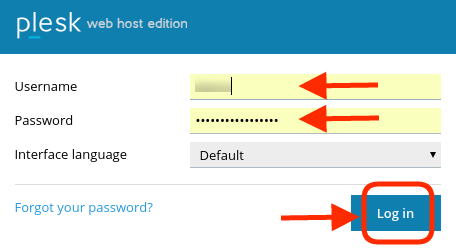
Login into plesk control panel
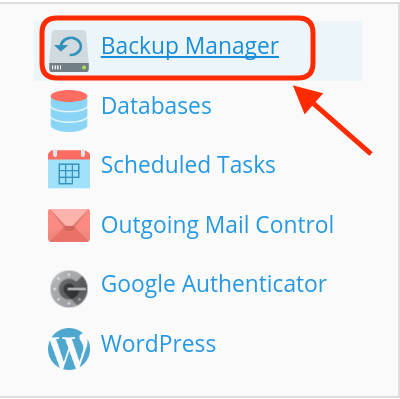
Click Backup manager. You can see More Actions click that combo box and select Upload Files to Server Respository.
Click Upload button to upload your backup file

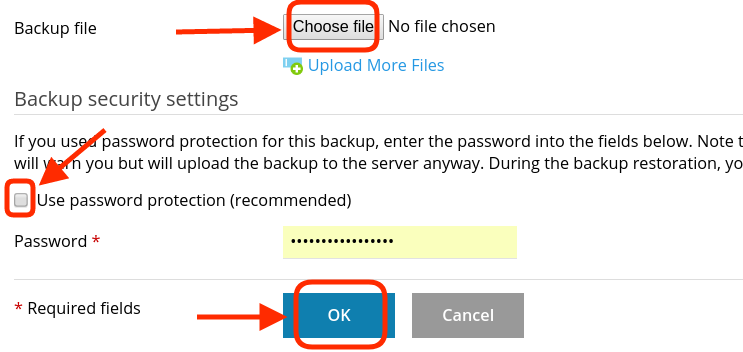
Choose the backup file to be uploaded and uncheck Use password protection check box. Click OK
Click the name of the backup which you are going to restore.
Under the Backup content, select the objects you like to restore or select All objects to restore your site and database as well as site settings in plesk.
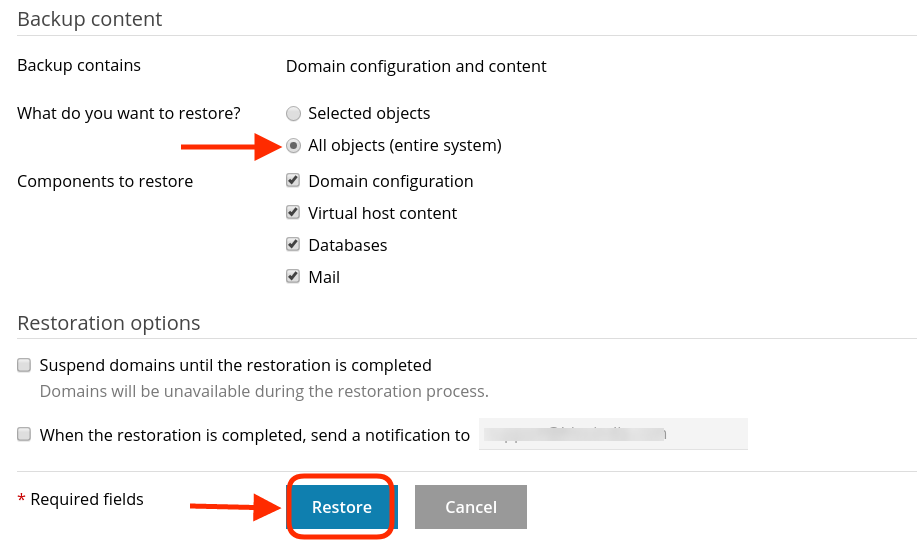
You can check box ,if you need suspend the domains until the restoration task is completed
You can give mail id for getting notification mail once restoration completed.
Click Restore to begin the restoration process
|
Not at all
helpful Not much
helpful Some what
helpful Very
helpful Extremely
helpful | ||||||||
What could be better? (Optional)
X
Not related to my issue
Too complicated explanations
Too much information
Incorrect information
Unclear information
Incomplete information
Too old information
Do you have any other feedback about this faq ? 1000
| ||||||||
 ]
]
